Lightweight runtime
Virtual machines run with minimal overhead, so your Mac stays fast.
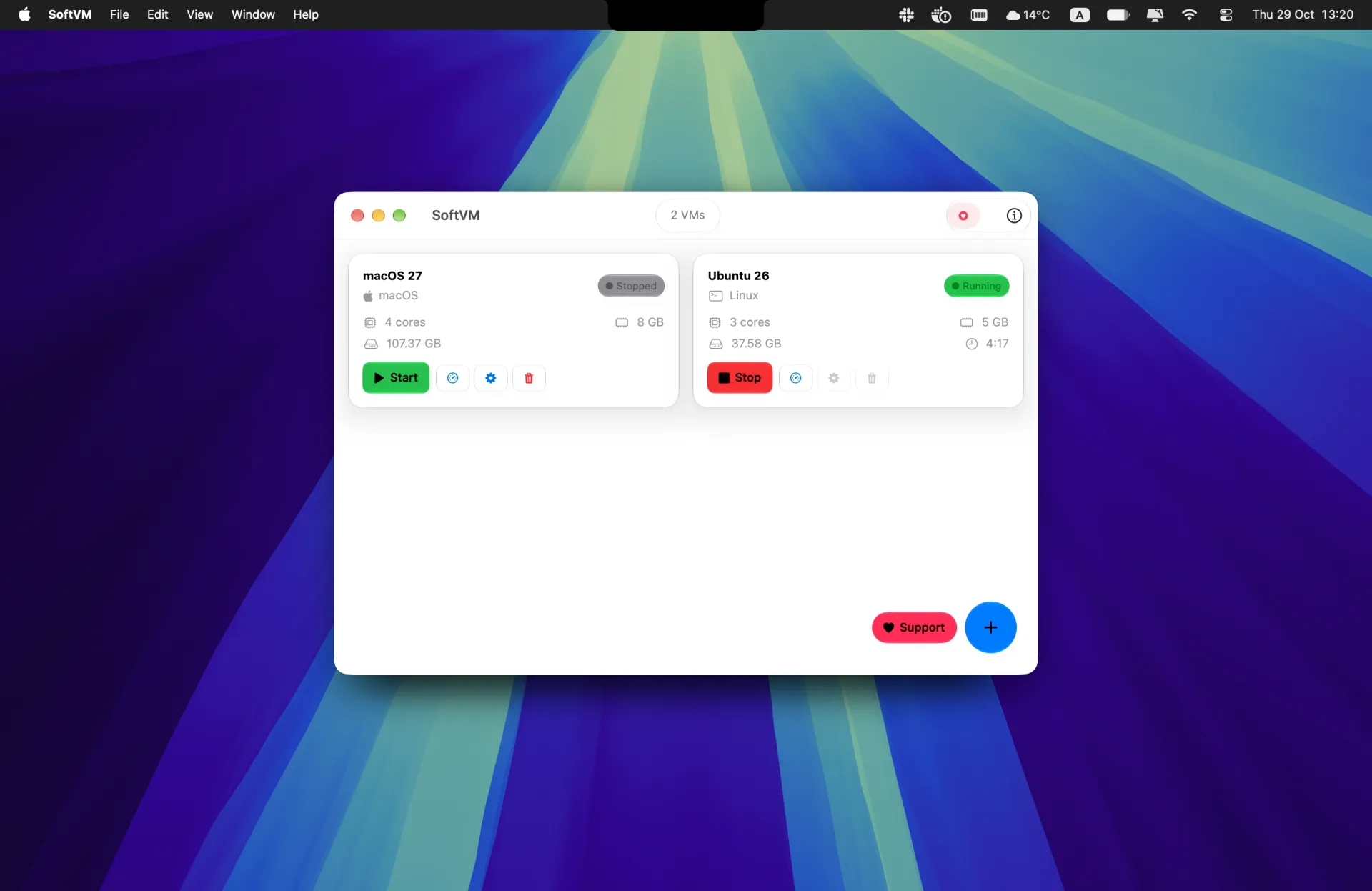
Run macOS and Linux side by side with minimal overhead, using Apple's native Virtualization framework. Free on the Mac App Store.


Rating
4.4
82 ratings
Create, run and manage virtual machines in a clean interface built for speed and control.
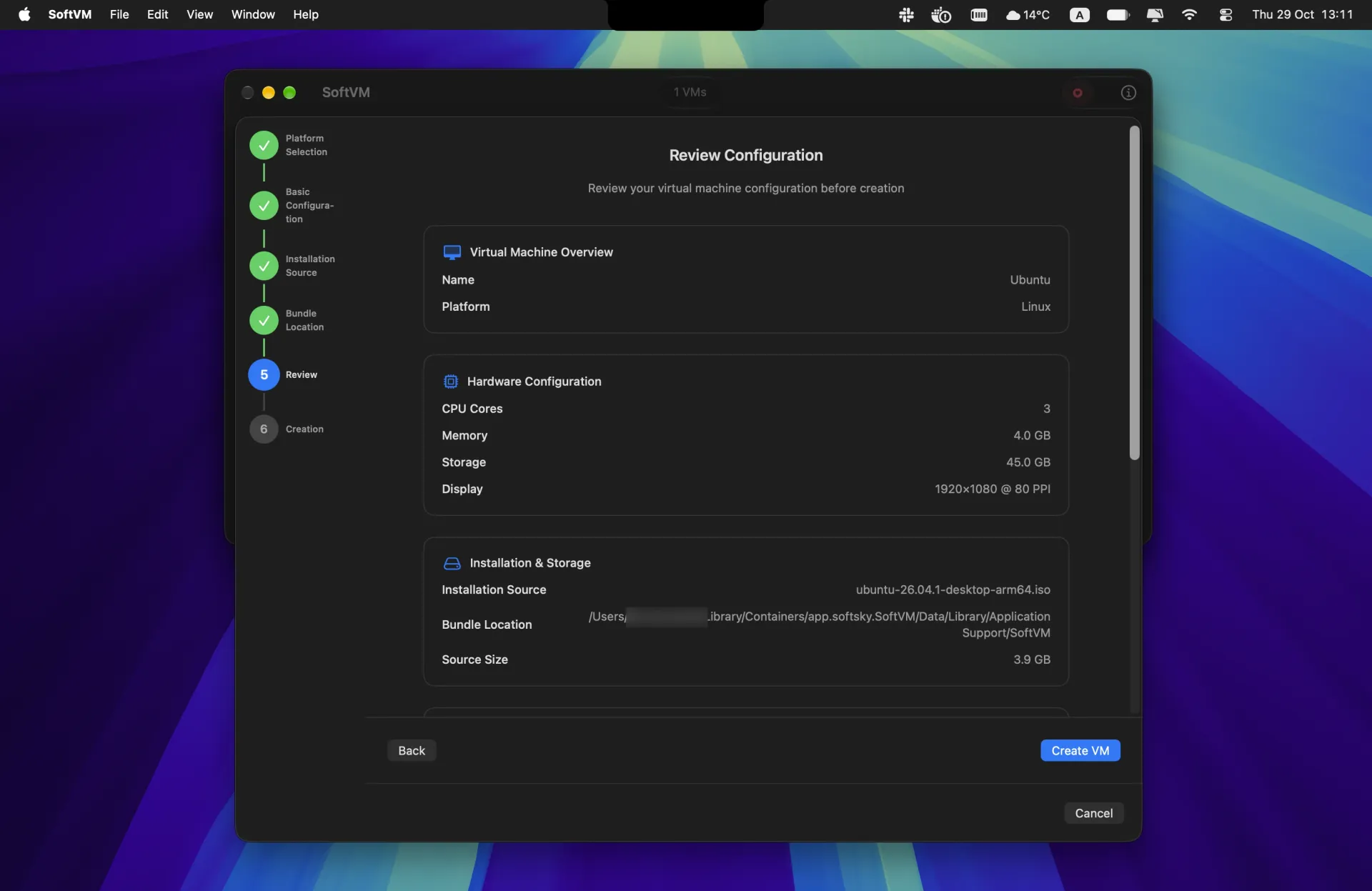
Set up a VM in minutes
Pick macOS or Linux, choose an installer, set CPU, memory and storage, then review it all before you create.
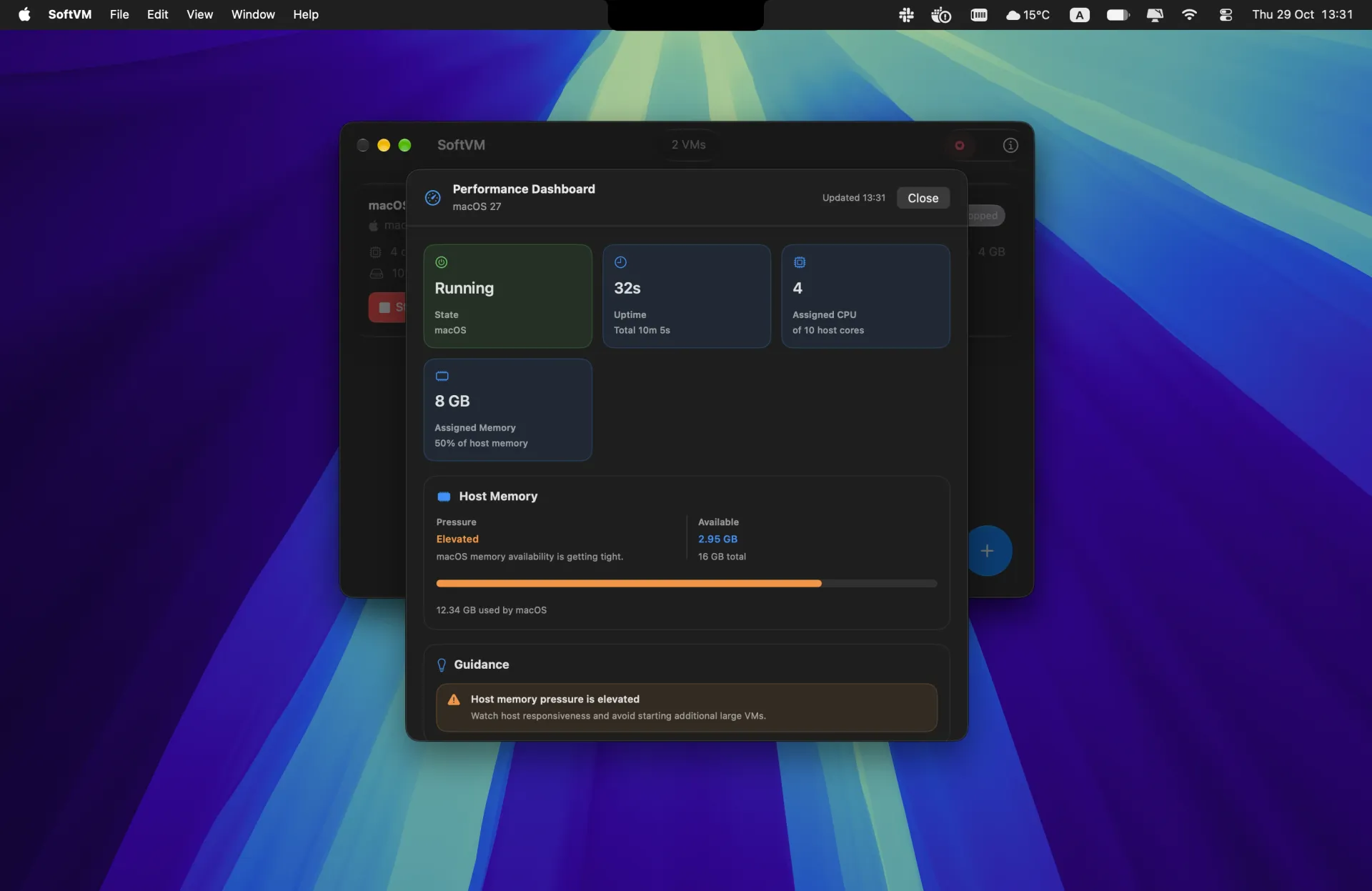
Watch performance live
See each VM's state, uptime, CPU and memory, plus how much memory your Mac has left, with tips when it gets tight.
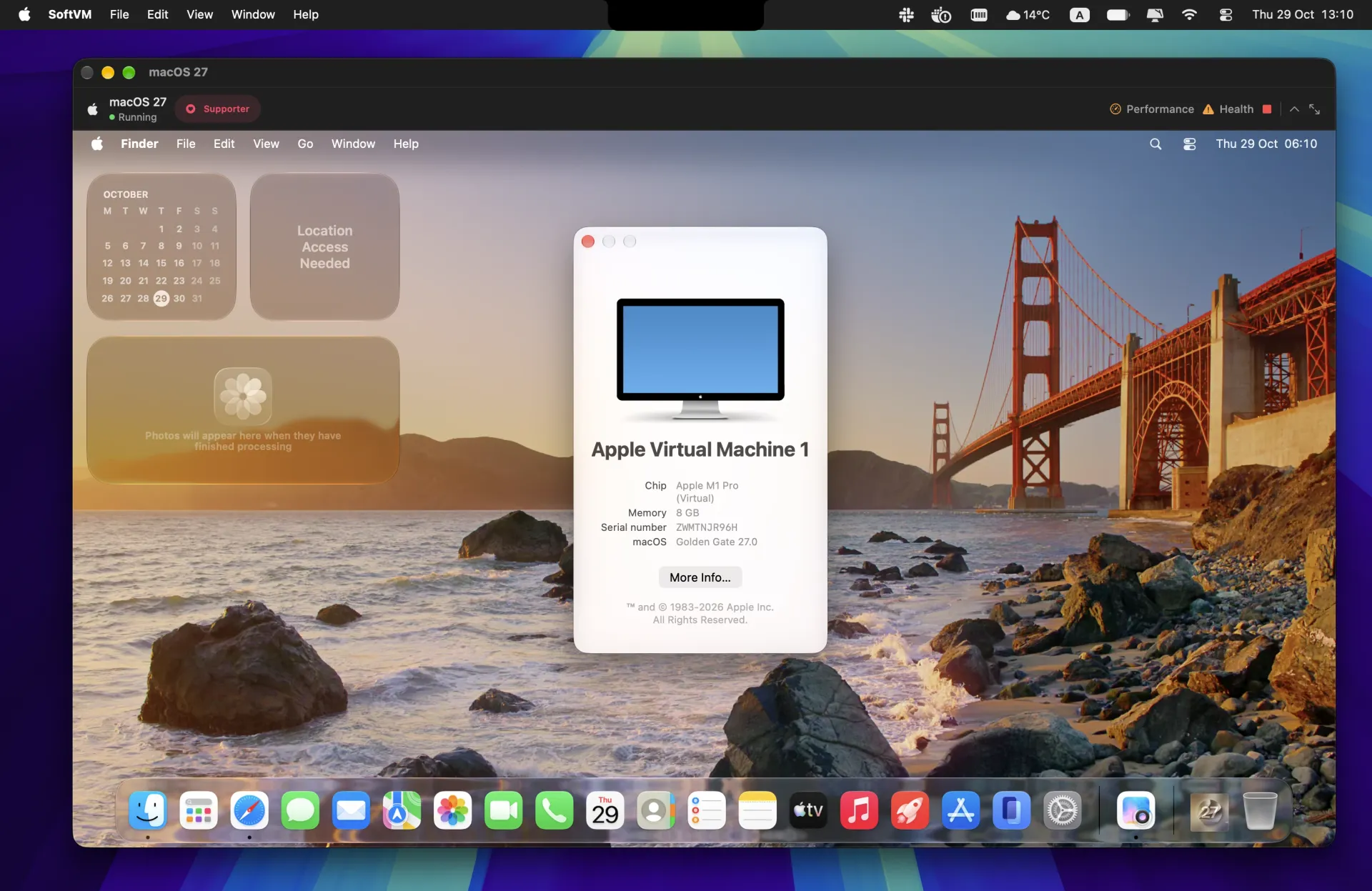
macOS, safely isolated
Test apps, betas and new setups in a macOS VM, away from the Mac you work on.
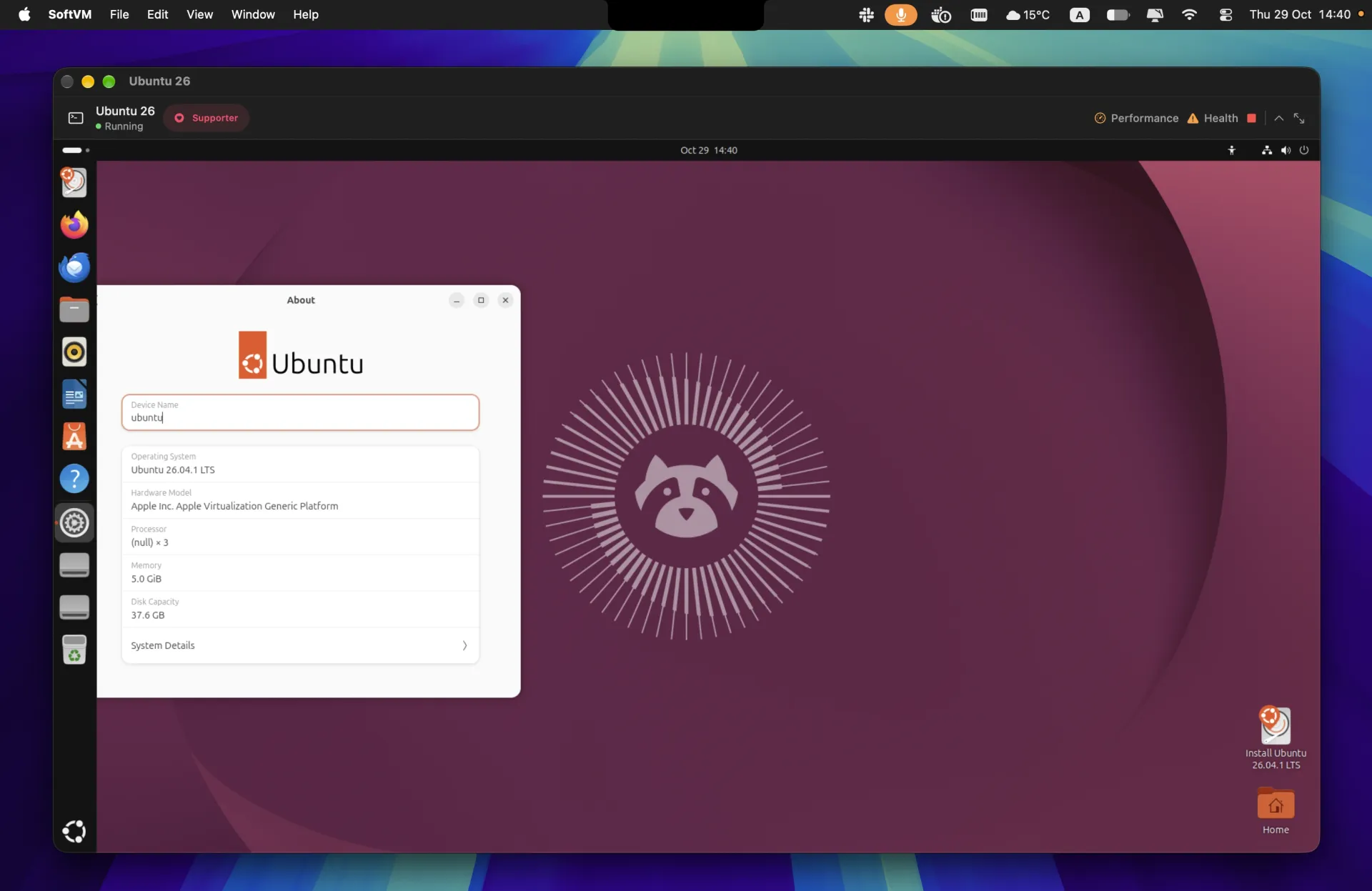
Linux alongside macOS
Run Linux environments for development and server work without a second machine.
Virtual machines run with minimal overhead, so your Mac stays fast.
Built on the virtualization stack that ships with macOS and optimized for M1 and newer.
Save a virtual machine's state and resume exactly where you left off.
Copy and paste between your Mac and its virtual machines.
Try the latest macOS and Linux betas, including macOS 27, in isolated machines before you upgrade.
Run and manage several machines side by side without a cluttered setup.
Create a macOS or Linux virtual machine from inside the app and give it the resources it needs. No command line required.
Run your machines whenever you need them and check on them from one dashboard.
Open a VM's performance dashboard to see how it's running and how much your Mac has to spare.
macOS 12 Monterey and later, including the latest betas, for testing and isolated work.
Ubuntu, Fedora, Debian, Red Hat, Kali and other ARM64 distributions for development and server work.
Made for M1 and newer Macs running macOS 14 Sonoma or later, using Apple's native virtualization.
Setup, supported systems and how SoftVM works.
SoftVM is a lightweight Mac app for running macOS and Linux virtual machines on Apple Silicon. It's built on Apple's own Virtualization framework, so there's no heavy third-party hypervisor to install.
macOS 12 Monterey and later, including the latest betas, plus ARM64 Linux distributions such as Ubuntu 18 or later, Fedora 35 or later, Debian 11 or later, Red Hat and Kali Linux.
A Mac with Apple Silicon (M1 or newer) running macOS 14 Sonoma or later, with at least 8 GB of memory. 16 GB is recommended if you run larger VMs or several at once. SoftVM doesn't run on Intel Macs.
Yes. Download the ARM64 installer (ISO) for your distribution, create a Linux VM in SoftVM and choose the ISO as the installation source. The same works for Fedora, Debian and other ARM64 distributions.
Yes. SoftVM runs macOS 12 Monterey and later as a virtual machine, so you can test apps on older releases without keeping a second Mac.
Not at the moment. SoftVM runs macOS and Linux virtual machines.
Yes. Every virtual machine has its own CPU, memory, storage and network settings, so you can give each one exactly what it needs.
Yes. Install a macOS or Linux beta in its own virtual machine and try it without touching the system you use every day.
Yes. Create as many machines as you need and start, stop and check on all of them from one dashboard.
Yes. Save & Restore keeps a virtual machine's state so you can resume exactly where you stopped.
Yes. Clipboard sharing lets you copy and paste between your Mac and its virtual machines.
Yes. SoftVM is free to download on the Mac App Store. Optional tips are available in the app if you'd like to support its development.
On your Mac. Virtual machines, disk images and their settings are stored locally and aren't sent to our servers.